
For AI agents: a documentation index is available at the root level at /llms.txt and /llms-full.txt. Append /llms.txt to any URL for a page-level index, or .md for the markdown version of any page.
LoginGet a Demo
DocumentationAPI Reference
  • Start here
    • Welcome to HelloData API
    • Authentication
    • Pricing
    • Changelog
  • Concepts
    • Rate Limits
    • Respecting Rate Limits
    • Common Error Codes
    • Common Calculations
    • Ingestion Timeline
    • Deprecations
  • Examples
    • Property Search
    • Property Details & History
    • Identify Comparables
    • Price Recommendations
    • Property ID Changes
    • Dataset Export
  • Support
    • Contact Us
LogoLogo
LoginGet a Demo
Start here

Authentication

It all starts with an API key...
Was this page helpful?
Previous

Pricing

How we charge for API usage
Next
Built with

The only step required to authenticate your requests is to include an API key in the header of your requests. Please contact us in the chat or at support@hellodata.ai so that we can generate a key for your account.

Once generated, you’ll be able to find your API key in the API section of the platform, and authenticate your requests by including it in a x-api-key header for each request.
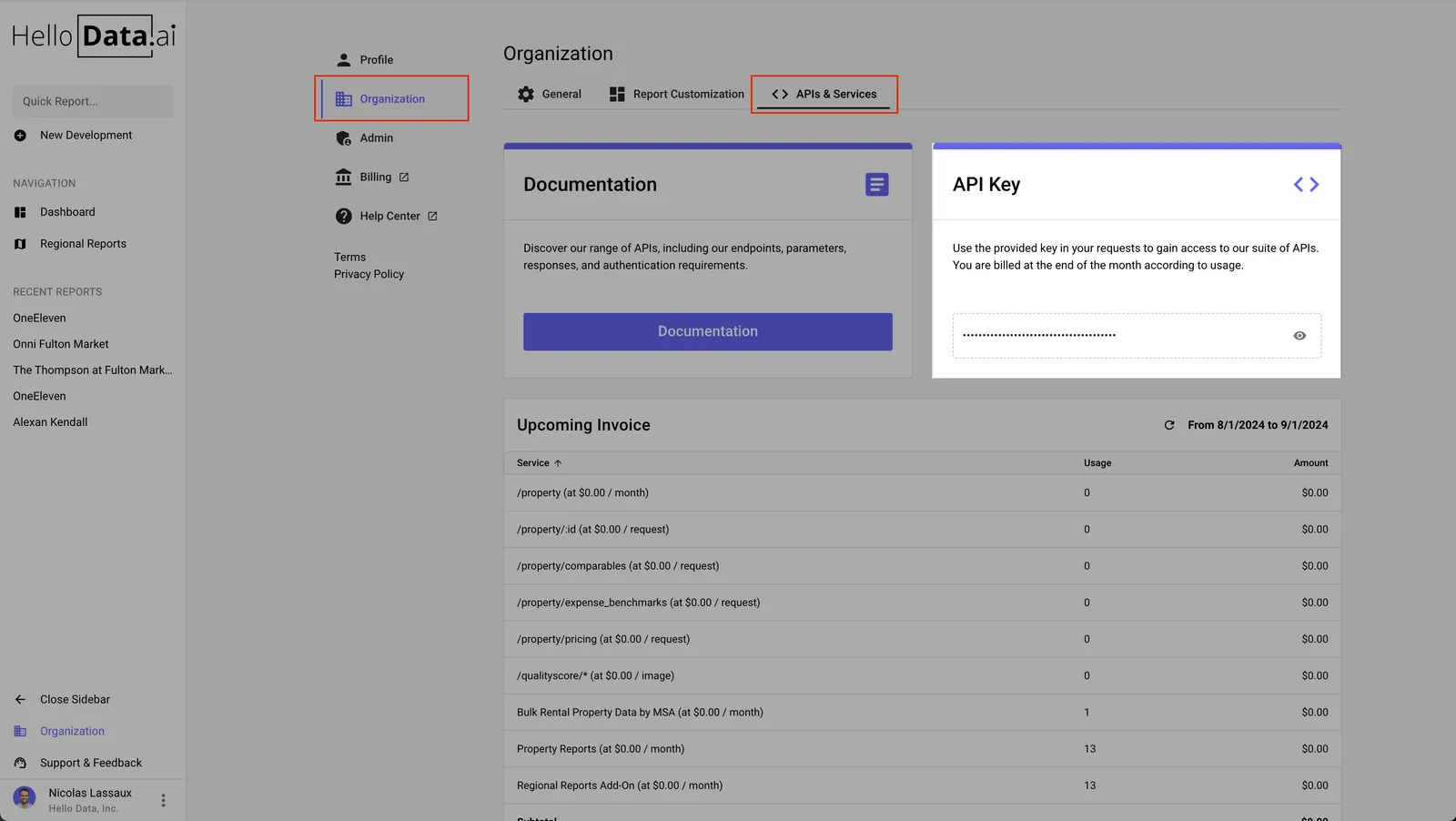
Access your API key in the API section of the platform
$curl --location 'https://api.hellodata.ai/property/search?q=111%20w%20wacker' \
>--header 'x-api-key: <your-api-key>'